





We use cookies to provide you with better user experience. Cookies settings can be controlled and configured in your web browser at any time.
By using the site you agree to us using cookies and also read privacy policy. To continue viewing and using the website click on “Continue”.
03
Aug 2026
Blog
Outdoor Industrial Touch Screens: What to Specify Before Deployment
An indoor touchscreen only needs to register a finger. An outdoor industrial touchscreen must work with gloves, rain, thick cover glass, direct sun, cold LCD response and high temperature inside a sealed enclosure. Miss one of those conditions and the system may display information correctly while remaining impossible to operate.
That is why selection should begin with the real interaction, not with size, brightness and an IP65 badge. Touch technology, glass, protection boundaries and thermal design must be specified together.
Quick answer: design against four failure modes
Optical
Washed-out image
Sunlight and reflections destroy contrast before the user even reaches the screen.
Touch
Input not registered
Gloves, water or thick glass defeat the sensor and the controller tuning.
Thermal
Blackening or smearing
Heat causes blackening, cold causes smearing, or the backlight ages early.
Ingress
Dust and water entry
Failure through the rear, the connector or the mounting interface, not the front.
A field-ready touchscreen must pass the worst combination of display, touch, glass, enclosure and temperature conditions — not just solve the last failure a team experienced.
Choose P-Cap or resistive touch from the interaction
| Attribute | Projected capacitive | Resistive |
|---|---|---|
| Multi-touch | Yes | Usually single-touch |
| Thick cover glass | Supported with tuning | Poor fit for thick rigid glass |
| Gloves | Depends on material and tuning | Most gloves work by pressure |
| Water | Needs water-rejection firmware | Water pressure may register |
| Optical clarity | High; bonds well | Extra flexible layer reduces transmission |
| Vandal resistance | Can use thick glass | Top layer can wear or puncture |
P-Cap is the starting point for most modern outdoor equipment because it supports laminated safety glass, multi-touch and optical bonding. “Works with gloves,” however, is not a binary specification. Thickness, material and moisture all affect sensitivity, so validate with the glove that operators actually wear.
Rain requires more than an IP rating
An IP rating tells you whether water enters the enclosure. It does not prove the touch surface will distinguish a finger from droplets or a continuous water film. Ask for water-rejection behavior, wet-hand mode and any lockout zones, then define whether testing means drizzle, continuous spray or cleaning-fluid residue.
Where equipment is pressure-washed, add a maintenance lock or cleaning mode so the process cannot trigger machine functions. That is an operational-safety requirement, not merely a touchscreen feature.
Combine high brightness with optical bonding
An outdoor touchscreen is an outdoor display first. Covered positions may start around 1,000 nits, while direct sun can require substantially more. If air gaps remain between cover glass, touch sensor and LCD, internal reflections destroy contrast. Full optical bonding reduces reflection and parallax, bringing the perceived touch point closer to the displayed content.
Write IP, IK and enclosure boundaries explicitly
IP65 is common for outdoor and washdown-adjacent areas. Higher-pressure jets, temporary immersion or harsher environments may justify IP66, IP67 or IP68. Litemax’s rugged Panel PC portfolio includes full IP68/IP65 constructions, but the exact model must always be confirmed.
Public equipment may also require IK impact protection. An IK10 cover glass does not automatically make the complete enclosure IK10; the frame, fasteners and mounting surface must carry the same load path.
Heat and cold create different usability problems
Cold slows LCD response and creates smearing. Heat can cause blackening and accelerate backlight aging. A sealed outdoor housing amplifies solar loading, so plan heaters, heat sinking, airflow and temperature control from the panel’s internal condition. Vehicle and rail applications may add EN 50155, vibration and power-input requirements.
Outdoor touchscreen checklist
1
Will users operate with bare hands, thin gloves, heavy gloves or a stylus?
2
Is the controller tuned after cover-glass thickness and coating are finalized?
3
Are droplet, water-film, wet-hand and cleaning-fluid tests defined?
4
Are worst-case brightness and optical bonding specified together?
5
Does the IP rating cover the front or the complete unit, including connectors?
6
Are minimum and maximum internal temperatures included?
Frequently asked questions
Can P-Cap work with gloves?
Yes, depending on glove material and thickness and on controller tuning. Test the exact field glove rather than relying only on a generic glove-mode claim.
Does rain always cause false touches?
No. Industrial controllers with water rejection can suppress many false inputs, but performance still depends on glass, firmware and the amount of water.
Is IP65 the minimum for outdoor touchscreens?
It is a common starting point, but pressure washing, dust and immersion risk may require more. Confirm whether the rating is front-only or full-unit.
Panel PC or industrial monitor?
A Panel PC integrates compute for simpler cabling and sealing. A monitor with external compute offers easier servicing and processing upgrades.
Define the use case before selecting the touchscreen
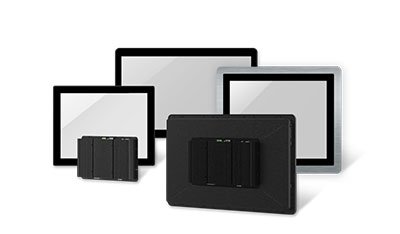
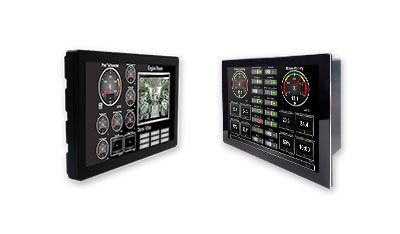
Include the actual glove, cover-glass thickness, rain and cleaning conditions, ambient light, temperature, mounting and interfaces in the request. Litemax can then combine industrial displays, rugged Panel PCs, HMI products, P-Cap tuning and optical bonding around the field requirement rather than a laboratory demo.
Discuss your outdoor touch applicationReferences / internal links: Litemax Industrial Displays • Litemax Sunlight Readable Technology • Litemax Transportation Solution
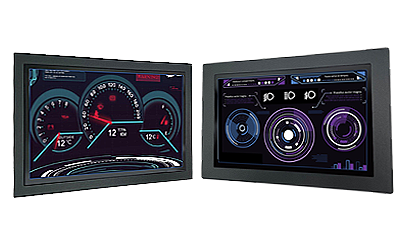
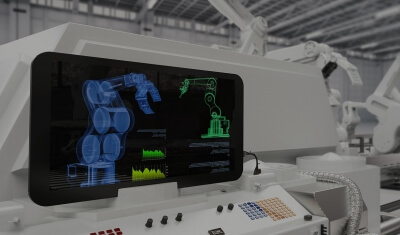
Application illustration | Confirm final appearance and specifications on the Litemax product page and datasheet.